# Datenbank
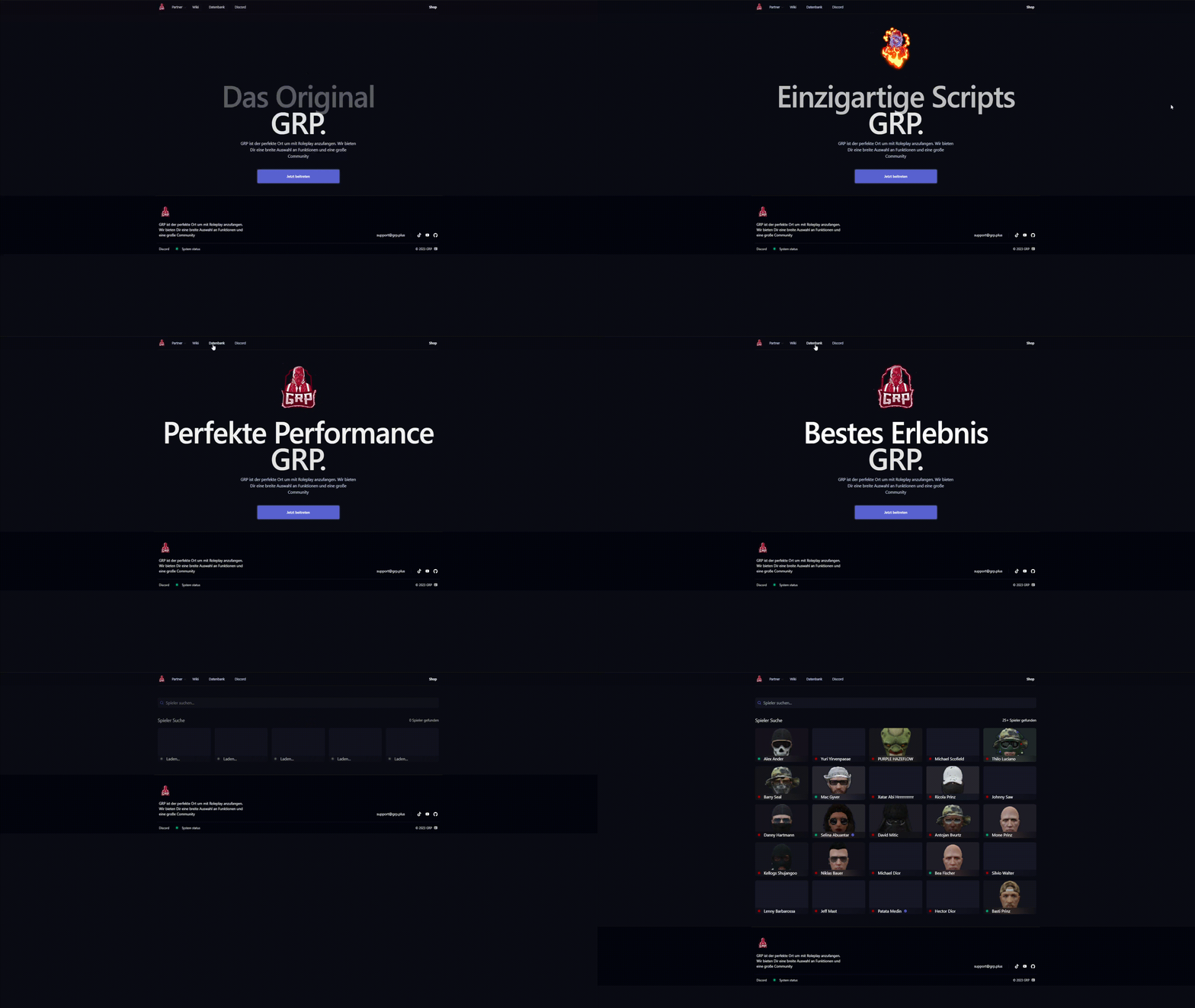
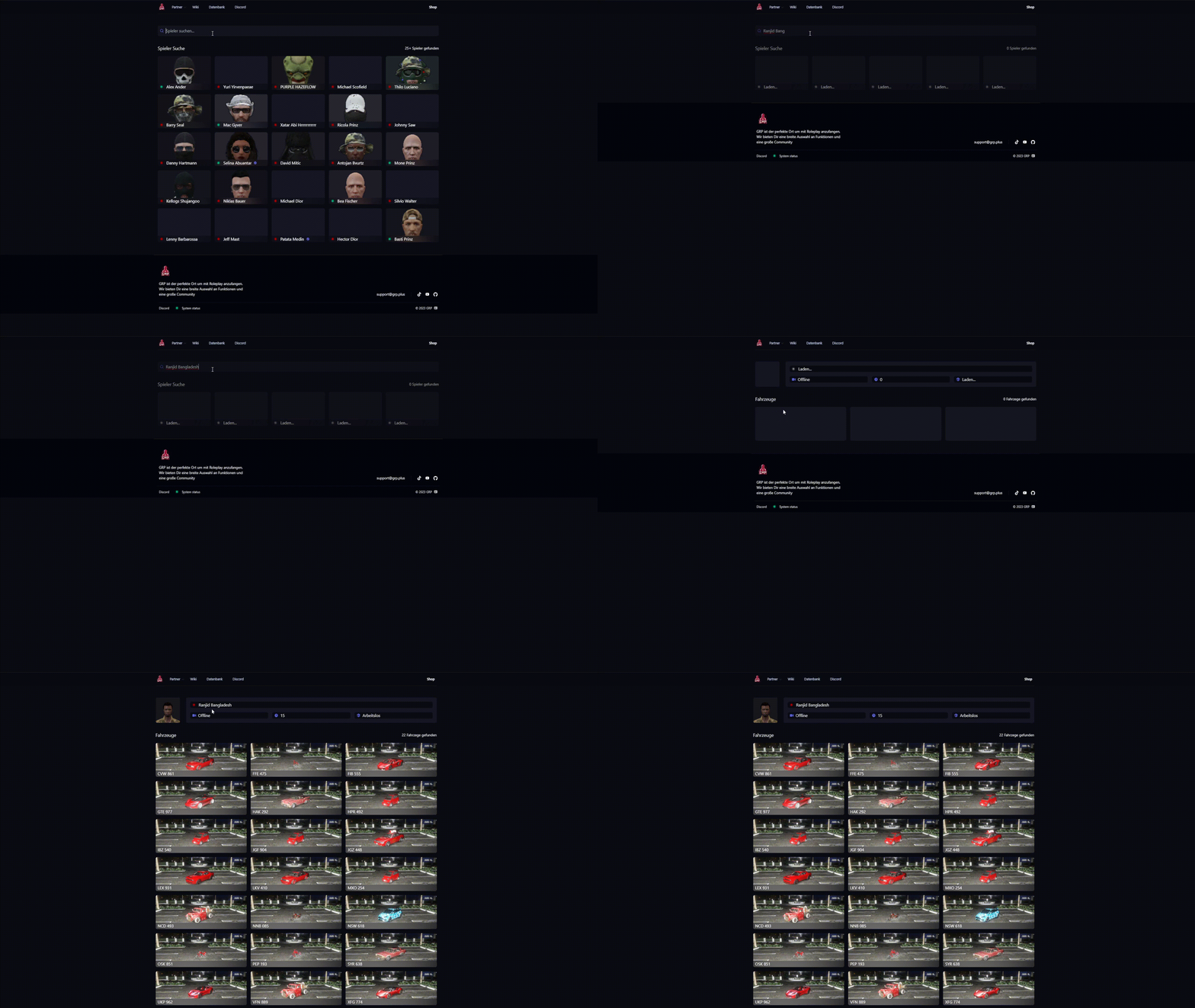
Ab sofort könnt ihr auch all eure Fahrzeuge in der neuen Datenbank anschauen!\
Dasselbe gilt, auch wenn ihr das bei anderen Spielern schauen wollt.
### Wie komme ich in die Datenbank rein?
* Du besuchst die Hompage (*[www.distrikt.cc](http://www.distrikt.cc)*)
* Danach klickst du auf den Reiter `Datenbank`
### Was kann man alles einsehen?
* Ob der User Online ist oder Offine ist
* Spielzeit vom gesuchten User
* Alle Fahrzeuge mit deren Kennzeichen
* Seinen aktuellen Beruf
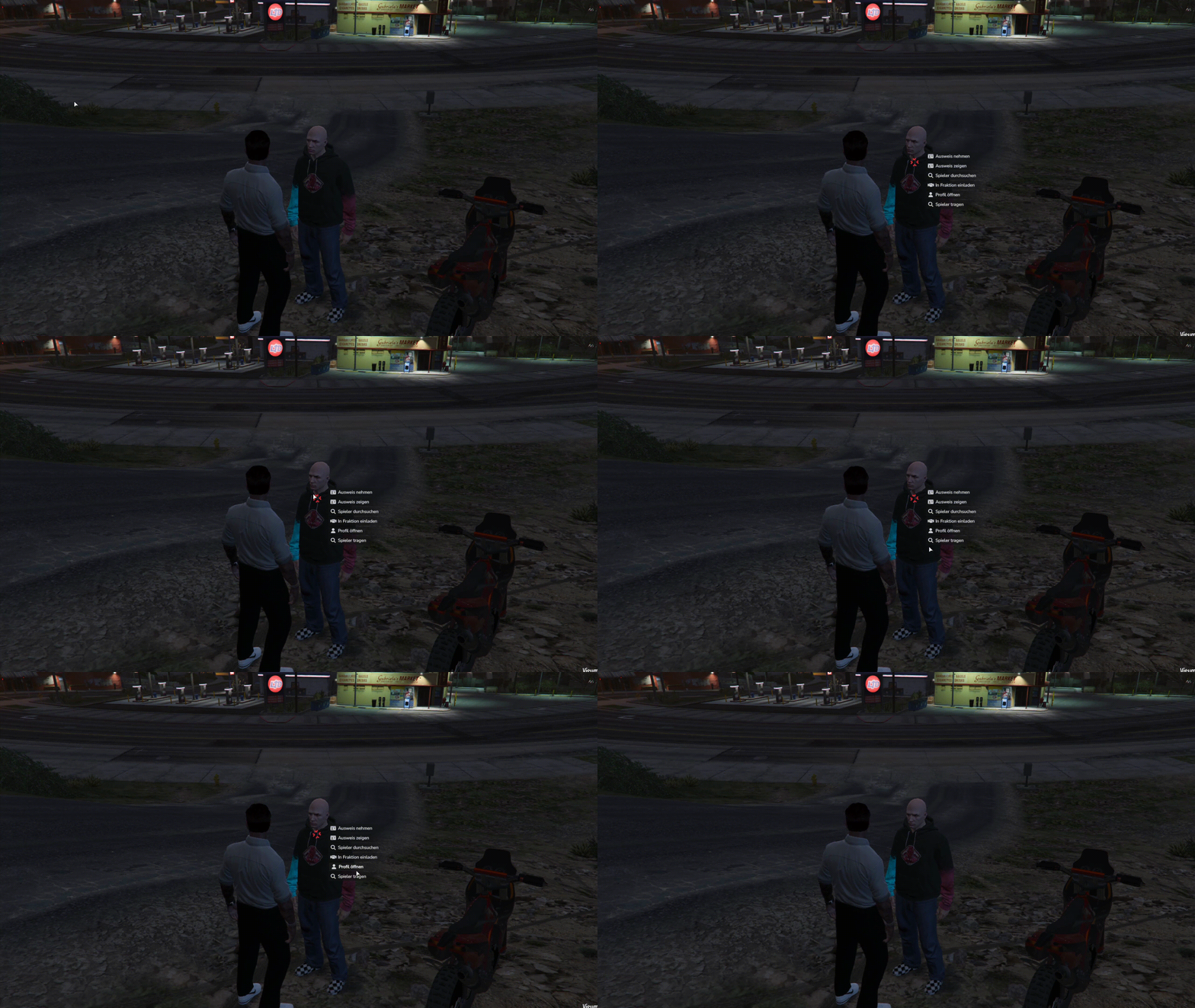
### Kann ich das auch im Spiel direkt machen?
* Du kannst mit der gedrückten Taste `ALT` auf den Spieler gehen.
* Danach kannst du auf `Profil öffnen` klicken dadurch öffnet sich bei dir im Browser die **Datenbank** vom jeweiligen User.
{% hint style="info" %}
**Achtung:** Es werden auch Zweitschlüssel Fahrzeuge als eigene Fahrzeuge gezeigt.
{% endhint %}
---
# Agent Instructions: Querying This Documentation
If you need additional information that is not directly available in this page, you can query the documentation dynamically by asking a question.
Perform an HTTP GET request on the current page URL with the `ask` query parameter:
```
GET https://wiki.distrikt.cc/guides/datenbank.md?ask=
```
The question should be specific, self-contained, and written in natural language.
The response will contain a direct answer to the question and relevant excerpts and sources from the documentation.
Use this mechanism when the answer is not explicitly present in the current page, you need clarification or additional context, or you want to retrieve related documentation sections.